Landing Page Examples

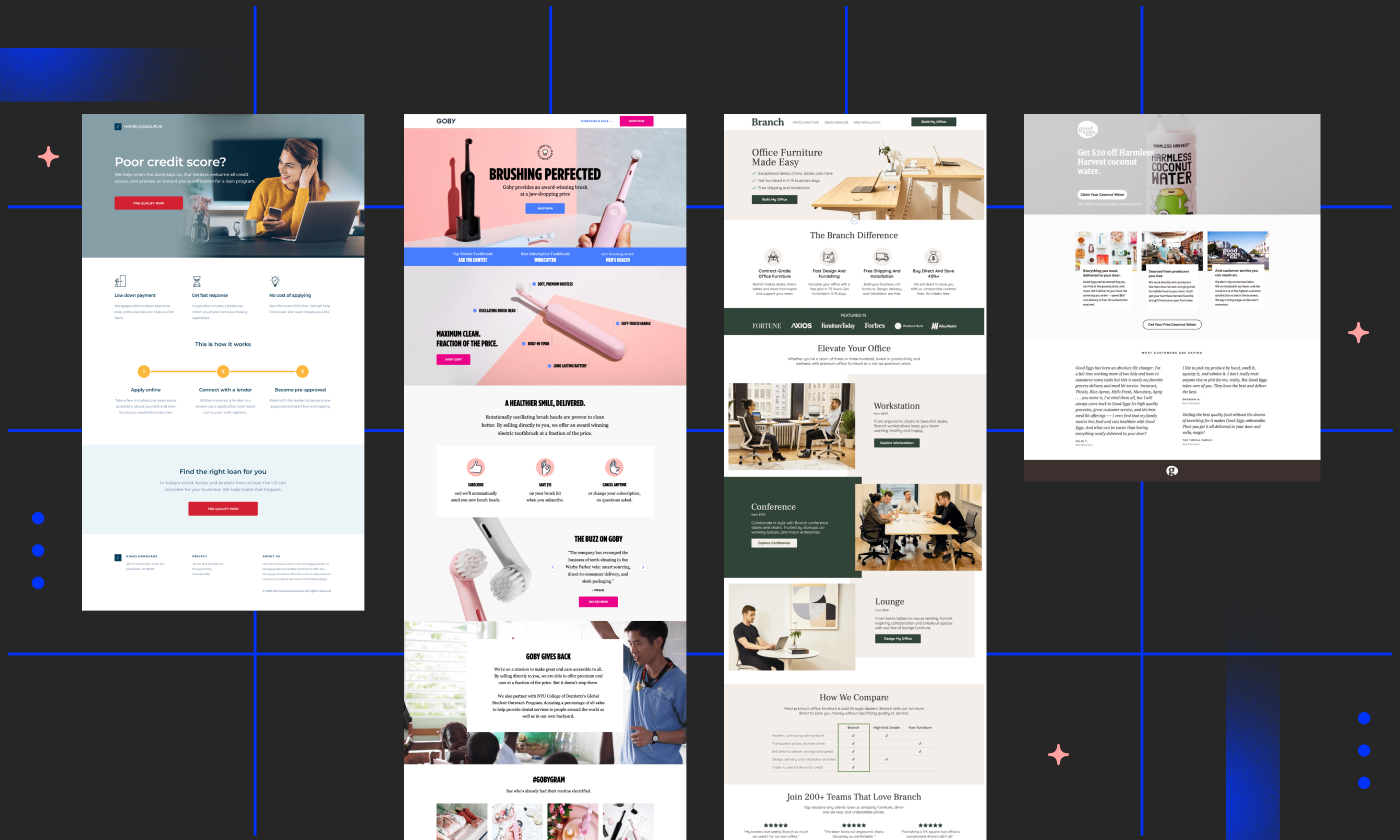
A collection of interesting landing pages you can use for design and layout inspiration. Each post includes a discussion of the elements that make up the anatomy of a landing page.

Subscribe to the RSS feed to receive updates when we add new example landing pages.

Community

We'll be featuring some pages created by Unbounce users (always with permission). If you'd like to submit your own landing page for inclusion - send an email to oli@unbounce.com.

10 Landing Pages that are Crushing it with Video

By , February 2nd, 2012 in Landing Page Examples | 7 comments

Back in the 1990’s we thought having an animated gif on our web page was the greatest thing since sliced bread, but nowadays using an animated gif is considered a huge FAIL. However, by using video on our websites we are able to still capture the “wowness” of an animated gif with much better bottom line results.

Now that video production is affordable to all business sizes, we’re beginning to see companies use video on landing pages and not just their homepages.

Spinning off of Oli’s Your Landing Page Sucks! Here are 10 Examples That Don’t… I wanted to take a look at some great landing pages that incorporate video. Great landing pages explain exactly what you do in a brief amount of time, and video is a great asset for accomplishing such a task.

Here are 10 examples of pages that are crushing it with video.

1. Intuit

What better way to sell a product than to show it in action? The Intuit video itself does a great job of relating to potential customers, showcasing its benefits and explaining how easy it is to use.

What I like

  • They include customer testimonial videos allowing visitors to see what others are saying about the product.
  • Easy to read. The top section tells me everything I need to know about the product and how I can get started.

Things I’d change or test

  • Remove all navigation at the top.
  • From a design perspective, I’d have the “Start Now” section span the width of the page to add some depth to the page. See Zopim.com for an example.

2. Google

I like Google’s approach here. Give the user two main colors and keep the rest plain and simple. Immediately, the coupon and CTA button jump out at the page.

What I like

  • The use of a coupon. Give something away for free to get your users into the door. We all can’t do it, but if you can it can really help conversions.
  • Noncommittal copy. Users fear long-term contracts more than death and public speaking. Google’s copy includes “Request a free trial” instead of “Start your free trial”.

Things I’d change or test

  • Headline for the video. For those not in online marketing, AdWords can be a complex system, so I’d put more of an emphasis on getting users to watch the video.

3. Path

Click image to enlarge

Not only is Path a beautifully designed mobile app, but their homepage incorporates video right upon landing one it.

What I like

  • Emotional connections. Rather than showing you the features (ie sharing with close friends), Path uses a more emotional connection by showing a husband and wife actively sharing photos of the family.
  • Very little distraction. The copy is focused and there’s not much auxiliary content.

Things I’d change or test

  • Add the number of app downloads or the number of captured moments.

4. UPS

Social Proof is one of the six “weapons of influence” in Robert Cialdini book Yes! 50 Scientifically Proven Ways to be Persuasive. He states that people will do things that they see other people doing. UPS uses Zappos to show the value of their services and how they help Zappos be the consumer friendly brand that we all know and love.

What I like

  • Success stories. Using a well-known and well-liked brand such as Zappos will lead to increased conversions.
  • Use of repeat shopper statistics. UPS has a hand to helping Zappos achieve 75% repeat customers. The implicit message is well done.

Things I’d change or test

  • Minimize the amount of text. There is a lot to read through on the page and would like to see what happens if UPS remove the right side of the page.
  • Dim the background. Changing the alpha setting on the warehouse image will make the main section stand out more.

5. Optimizely

Optimizely uses the video to show the simplicity of the application and lives up to its headline of “A/B Testing you’ll actually use”.

What I like

  • No signup required. Allowing users to test drive your service with little or no barriers can lead to increased conversions. Even if a user does not sign up you may end up with a brand evangelist who can speak to the simplicity and value of your application.

Things I’d change or test

  • Shorten the video. The video runs close to 4 minutes and gives you the full scope of the application. I’d test a 30-60 second video that gives viewers just a small taste of the functions. I think the product sells itself when you test drive it.

6. Zoho Books

Rather than making users read through all the features, Zoho Books shows you everything you can do in a quick 60 second video.

What I like

  • Big video image. According to a recent Kelsey Group study, 21% of video viewers make a purchase. No wonder Zoho Books made the video so big.

Things I’d change or test

  • Embed the video. Rather than using a modal, I’d embed the video, so users can sign up while watching the video.

7. Groupon

Groupon is known for being a little quirky. Example 1 and example 2. But the use of video to get unsubcribers to re-subscribe is utterly genius.

What I like

  • Everything. From using video to having a call to action that says “Punish Derrick”, this is great execution on a page that most marketers ignore.

8. Animoto

Click image to enlarge

I’m a big fan and a paying customer of Animoto. The design of this page is amazing and uses a unified tone of turning photos into amazing, theatrical movies.

What I like

  • Video thumbnail includes a CTA. Most companies use a thumbnail that is a random scene in the video, but Animoto uses a call-to-action as their thumbnail which can dramatically increase views.
  • Award design. The awards are very similar to the way awards are presented in motion pictures. Animoto does a great job of sticking with an overall message of the page.

Things I’d change or test

  • Change the CTA Text. I would change the “Learn More” button to “See Pricing”. The user is already learning about the product in the video and the link takes the user to the pricing page.

9. VisibleGains

Click image to enlarge

According to VisibleGains, they received a 51% conversion rate on this landing page. That’s pretty impressive and a big part of that success can be attributed to the video preview of the webinar.

What I like

  • Huge focus on video. The video occupies a majority of the landing page and gives you a taste of the webinar.

Things I’d change or test

  • Move the sign up form. The sign up form is a little far from the video for my tastes. I might try putting it a little bit closer to the video.
  • Sign up form on the right. I wonder if having the sign up form on the right would increase conversions even more. My eye immediately goes to the video then my natural response is to look to the right of the video for the form.

10. Dropbox

Here’s a company that is fully invested in video. One of my favorite web apps out there, Dropbox has two options on this page – watch a video or download the app.

What I like

  • Video thumbnail. The video thumbnail is beautifully designed and is incorporated with the logo itself.

Things I’d change or test

  • Add a tag line. It might be interesting to test a tag line in case folks don’t want to watch the video and want to learn more the product. It may even lead to more video views.

Further Reading

Your Turn: What do you think?

Love ‘em? Hate ‘em? Got examples of how video has helped you to convert better?

– Steve young

5 Rockstar Landing Pages that Deserve a High-Five (or do they?)

By , January 23rd, 2012 in Landing Page Examples | 12 comments

Your landing pages should be this awesome! (Image source)

Fact: in the world of landing pages, there are far more misses than hits. If you’re skeptical of that statement, do some quick research by clicking on some paid search or display ads.

Here’s what you’ll find: over-the-top cheesy stock photos that evoke strange emotions, sketchy testimonials from seemingly non-existent customers, blast-from-the-past color combos with too much orange, green, bright blue and flashing red (think of a 1990s music video), displaced enthusiasm and more information than the user could possibly digest. Hopefully, you’ll be able to reopen your browser after the surprise audio feature crashes it.

When you finally do find a stellar landing page, you may want to jump out of your seat and high-five it. It will be conversion-centric, trust-inspiring, energetic and straightforward all at once.

There is no recipe for the perfect landing page design, but your favorites may look a bit like these:

1. Salesforce: Social CRM Service Cloud

Type: Lead generation
How I found it: LinkedIn display ad

This landing page promotes Salesforce.com’s Social Service Cloud platform, which helps client-focused brands and agencies engage with customers on social platforms.

Why the Page Rocks

With video and downloadable e-books, the page is packed with learning resources that visitors will find useful (plus, there is strong evidence that videos enhance conversions).

With testimonials from professionals like senior social media directors, the service projects an instant sense of credibility. Through videos, prospective leads are able to connect with industry experts as people rather than names in chunks of text or quotes.

Suggested Improvements

When you are asked to register, the benefit reason is related to the “Service Cloud”. However, the rest of the page fails to explain what the Service Cloud actually is or reconnect with this idea. While offering teasers to its value from industry leaders and experts, there is no to-the-point description for audiences who would benefit from more details.

Editor’s note: When you do click on the resources, expectation quickly turns to frustration by requiring that you register before even watching a video – this is a massive old-school #FAIL in my mind – sometimes you really have to give content for free and not only think about lead gen – at least let people watch the videos! Conceptually the page is really strong – just too much of an instant barrier.

2. UserTesting.com: On-Site Usability Testing

Type: Click-Through
How I Found It: Google AdWords campaign

UserTesting is a service that allows website owners to quickly collect inexpensive feedback to inform product usability and improvements.

Why the Page Rocks

With a straightforward headline, quick call to action button, and clear testimonials, this landing page excels as a trust-building communication tool. Within 30 seconds, I can quickly see what UserTesting.com provides, who is using it and what users have to say about it.

If you want to learn more, there is plenty of information to walk you through the process and help me make an informed decision. I even have a general idea of how much it costs, and I’m even more inclined to buy with the advertised money back guarantee.

Editor’s note: There is strong social proof shown with the list of existing customers, which can be a big conversion tipping point.

Suggested Improvements

Above the fold, the page is a little too text-heavy with language that could be streamlined into a couple of high-impact statements or bullet points.

3. Inbound Writer: Social Writing Applications

Type: Lead-Gen/Registration
How I Found It: Display ad on Problogger

Inbound Writer provides real-time social intelligence to writers for content optimization.

Why the Page Rocks

It’s short, simple, and straightforward. All important information falls concisely above the fold. Instantly, a compelling headline capture’s my attention, and the layout provides all important information that speaks to any content marketer’s values. A product that’ll help me improve reach and engagement? Where do I sign up? From a trust factor there is the all important “I won’t be spammed” statement, places correctly right beneath the email address field.

Editor’s note: After the simple sign-up, you are provided with a nice modal explanation of what to do next. Smart!

Suggested Improvements

The page feels a little impersonal and could benefit from a testimonial beyond a list of companies that are already using the product. As is, the dashboard screenshots are small and tough to follow: strategic image-cropping would help with a much-needed face lift, or some nice modal popup screenshots (lightbox style) would provide a deeper preview).

4. Blog Talk Radio: Create Your Own Radio Show

Type: Click-Through
How I Found It: LinkedIn display ad

Blog Talk Radio is a platform for people to create and broadcast talk radio shows online.

Why the Page Rocks

This landing page is an example that shows how photos can be an elegant and effective marketing tools. It builds a personal rapport with the audiences by incorporating pictures of real users. The images rotate through three different individuals — one male and two female– to appeal to a variety of demographics. The layout is simplistic, focusing on trust and usability as a key emphasis with real customer quotes and images that put faces to the name.

Editors note: A few other plusses:

  • The CTA is really obvious and states exactly what will you will get when you click it.
  • The benefits are laid out in a simple and easy to read manner beneath the main banner.
  • It offers some free content/advice to teach you how starting a radio show can be good for you (the link at the bottom). Helpful, insightful and FREE advice will position you as a thought leader and make people remember and trust you.

Suggested Improvements

The landing page could benefit from a clearer description of the service. As-is, the emphasis is on the people who use the product rather than the product itself. A quick way to address this issue is to design a layout with an attention-grabbing headline that says something like “Create Your Own Talk Radio Show.”

5. Fidelity: iPad App

Type: Click-Through
How I Found It: Google AdWords campaign

Fidelity provides investment and asset management services to consumers through products such as IRAs and 401(k) plans.

Why the Page Rocks

This landing page leverages a layout that makes sense by keeping pertinent information above the fold and orienting the audience with a compelling headline and dominant visual element that shows a strong sense of content of use. The Apple gift card promotion is a strong incentive tool and added bonus for the campaign to help drive conversions. While the landing page is designed for desktop and laptop viewers, there is a QR code for people to get the app on their mobile devices.

Editors note: There is a video in the bottom-left to aid understanding for interested parties and help boost conversions. But I can’t help feeling that it should have been embedded inside the iPad iself – or at least have an enlargeable lightbox screenshot that can be opened from the iPad image. I feel like they missed the perfect spot for a product demo.

Suggested Improvements

Editor’s notes: The call to action button might be better as a double lined button which would have the affect of increasing it’s size/dominance – and separating the action and benefit. Another option would be to include the details about the $500 Apple gift card promotion would be better-placed beneath the call to action. Something to try as part of an A/B test.

When you click through, you are faced with a second landing page with terms and conditions (and unnecessary frustration). It would be much better to have the t&c be launched into a modal window from the first page so you can read it if you want and not be interrupted by it.


What about these landing pages caught your eye?

Please share your comments, good and bad. What did you learn from these landing pages? How would you change them?

– Ritika Puri

5 Easy Ways to Increase Conversions on Your “Coming Soon” Landing Page

By , January 4th, 2012 in Landing Page Examples | 15 comments

You may not think of a “Coming Soon” landing page as much of a target for improving conversion rates. Wrong. Just a year ago, startups like Hipster gained 10,000 subscribers virtually overnight without ever revealing their purpose. Brilliant foodie and social app Forkly had to put in a few late nights to create a viral invitation and social sharing form after a TechCrunch article highlighted their up-and-coming product.

Since then, startups have hopefully learned the lesson that they, too, can unexpectedly be thrust into the spotlight – and it’s best to be prepared. Now the question is – are you?

Here are five ways you can not only help spread the word about your launch, but reel in the kinds of customers you want to reach.

1. Be Brief about Benefits

You (generally) only have limited screen space in which to convince people to sign up. That means your most important benefits need to be above the fold (the first 1/3rd to 1/2 of the user’s screen space). The simpler and more direct the design and call-to-action are, the more likely you’ll entice visitors to take that action. I think just about anyone who sees the screenshot for Briefly (below) will remember the giant pair of underwear staring them in the face.

Briefly provides three succinct bullet-point benefits that are easy to scan and promise time-saving benefits.

Why This Approach Works

In addition to its unconventional attention-getting graphic, Briefy also fits everything into one screen space, so there’s no need to scroll. It also posts its three most important benefits right below the main statement for easy reading. Signing up for notifications only requires an email address, which presents less of a barrier to cautious subscribers who are worried about spam.

2. How Soon is Coming Soon?

It’s no longer enough just to tell visitors that you’ll “add them to the notification list” when you launch. In this “always-on” day and age, we have on-demand expectations. Even if you’re not 100% certain when you’ll launch, giving users an approximate timeframe, such as Summer or even a countdown will help keep them interested. In Forkly’s case above, they even went so far as to detail their progress on their Tumblr blog, including how they had to quickly create a viral sharing script after the early deluge of traffic.

From the mysterious statement “we are forkly” to a viral loop launch form – Forkly had to quickly create a way to harness all the traffic they were getting from TechCrunch

They’ve even posted a visual graph and their conversion stats a few months after this blog entry to let readers know how well it worked.

Why This Approach Works

Not only are you helping to keep customers “in the loop” while you’re putting the finishing touches on your new project, but you’re also building your subscriber list exponentially. For those early adopters who don’t want to wait, simply sharing an invite with three or more friends can instantly propel them to the front of the line. And early adopters are pivotal people to reach – particularly if your product has a tech slant.

The Diffusion of Ideas shows that the Early Adopters and Early Majority are what any good project needs to help get it over a “hump” of resistance.

3. Make it Easy and Rewarding to Share

Forkly did a great job adding in a social touch with their Private Beta launch. But then they went a step further by allowing people to jump to the front of the virtual line by inviting three of their friends. On top of that, the more they invited, the sooner they could start using the app.

Put your own twist on this idea. Can you give subscribers who share your invite link a behind-the-scenes look at the “making of” your launch? Even better – what can they contribute to it while it’s still in the early stages? A brilliant example of this is in the book Viral Loop. Not only can you read about companies that employ this same kind of strategy – you can also contribute to their stories.

Some Coming Soon landing pages try to persuade you to share by making it into a contest.

However, this can get costly depending on the types of products you’re awarding the winners (think something like an iPad 2 if you really want to build up steam). Using the Viral Loop method is inexpensive and hints at the early adopters’ deep-rooted need to “be the first”. A win-win for everyone.

Why This Approach Works

Using the Viral Loop method is inexpensive and hints at the early adopters’ deep-rooted need to “be the first”: A win-win for everyone. These are the vocal people who can be either evangelists or critics of your product, and you need both in order to succeed.

4. Make a Plan for After the Signup

Once you’ve got their name and email address – what’s the next step? If you haven’t thought this through, you won’t be able to spur many people into action after signup. A well-written autoresponder can take over here by encouraging the subscriber community to get involved. Ask for their feedback as you develop your product. Find out what they like and hate about competing products on the market. You may get some excellent suggestions and features worth incorporating.

Yogolicious’ website may be coming soon, but you can still create a masterpiece now at your local store.

Why This Approach Works

You can get directions to your nearest Yogolicious by using their Coming Soon page. But this page could likely perform even better if they allowed people to sign up for special offers by email, such as a free coupon, or notification of their next donation/yogurt social.

5. Tell a Story to Bring Personality to Your Page

Why are you launching this new product or service? People want to connect with the brains behind the enterprise, and chances are, your mission or goal will –in some small part- become theirs too. Thank them for taking the time to sign up, and introduce them to your virtual world. Being secretive and stealthy will only make people reluctant and discourage sign-ups (no matter how cool it may look).

Social cataloguing app Evertale did a mesmerizing job of this with their Coming Soon landing page, which took readers on a short, whirlwind tale about capturing and reliving daily memories. It was exciting, motivating and inspiring – just as it should be.

Evertale is the life-scrapbooking app for the social and sharing generation

Why This Approach Works

When put together, short benefits, a launch timeframe, an injection of personality and a rewarding way to share and stay informed create the ultimate formula for a landing page that not only compels you to act, but also gets you enthusiastic about the brand and its future.

– Sherice Jacob

Your Landing Page Sucks! Here are 10 Examples That Don’t…

By , September 19th, 2011 in Landing Page Examples | 147 comments

Don’t take that too personally, I’ve not actually seen your landing page yet. Rather, I’m going to cling to the assumption that it sucks simply because most of them do. Sad, but horribly true.

Note: I’m bringing this post back from the archives. A) because it’s timeless, B) because it’s awesome and C) as a teaser to an upcoming landing page examples post.

This is 10 teeny tiny thumbnails of the soon to be heretofore thought of as the greatest landing pages ever seen on November 23rd, 2010.

A real-world style landing experience
Imagine walking into a restaurant, and finding that the decor is gross, the music is too loud, the staff look sketchy, the menu has 400 options on it, they have an award on the wall for “Best meatloaf in Idaho, 1995″ and to top it all off, the place is empty. What would you do? I know I’d be getting the hell out of Dodge.

And online…
And that’s exactly what your visitors do when your design sucks, you have a video auto-playing with no mute button, there are no indicators of trust or security, the form has a million fields and the testimonials look like you wrote them yourself.

Excuse me waiter, could I just get the back button please?

Soooooooo, today we’re going to take a trip down to the Top-Notch Landing Page Store and see if we can rustle up something to inspire your next design.

Each of the following pages exhibits excellent qualities of conversion centered design, but most of them also do a couple of things wrong.

1. WebTrends Analytics – “lead”ing the way

I’ll admit it right off the bat – I have a crush on Webtrends landing pages. If you’re looking anywhere for design inspiration for lead capture forms, this is a good place to start.

What I like

Read More …

22 Creative Landing Page Designs – A Showcase, Critique, and Optimization Discussion

By , March 21st, 2011 in Built Using Unbounce | 63 comments

After my last landing pages examples post (Your Landing Page Sucks – Here are 10 That Don’t), people asked for some examples from smaller companies. At Unbounce there is a giant pile of cool small-to-medium sized businesses that are creating landing pages every day, so I trawled through the community and asked some people to share their work.

22 landing page examples - unbounce landing page design showcase
22 landing page examples created by Unbounce customers

Below, you’ll find 22 examples of landing pages that cover classic lead capture, product pre-launch/beta pages, ecommerce “buy now” or click-through pages and even a few microsites – and I’m stoked to say that they were all built using the Unbounce landing page platform. As usual, I’ve given them a mini critique to explain why I like them, and a couple of ideas they could use to optimize and test their pages for higher conversions.

Let us know what you think – provide your own critique in the comments

Because many of these companies are either new or small, I think it would be great if the community could dig in and provide their own critiques in the comments at the bottom. Conversion specialists, designers, usability, copywriters and marketers – perhaps you can make a name for yourself by lending a hand?!?!?

Note: If you do comment, include the # of the page you are critiquing for easy reference.

A discussion about conversion optimization

My goal here is to provide suggestions that might help others to solve similar issues on their pages. But more than anything, I wanted to show some of the diversity that’s being created in online marketing.

They’re not perfect (what page is), but they all show something interesting and worthy of discussion (hint hint – comments please!).

See if you can spot any trends…

Read More …

7 New Landing Pages for Your Inspiration

By , September 8th, 2010 in Built Using Unbounce | 20 comments

Landing page design is easier when you have some inspiration, so I dug out some of the cool pages our customers have been building in Unbounce. Would love to hear your thoughts about the pages in the comments section.

Enjoy…

Loop 11 Usability

Page Details

Type of landing page: Click Through
Website: Loop 11
Built using Unbounce?:Yes

Why I Like It

It has a Zebra crossed with a Rhino! How can you not like that?

Read More …

ABT – Always Be Testing: Two Design Directions for a Lead Gen Landing Page

Here’s a great example of an A/B test on an education lead gen landing page. It’s a common strategy in education to use banner ads and PPC to drive traffic to a landing page where data is captured in exchange for course information.

The main elements being tested here are the color palette, hero shot imagery and primary messaging.

Type of Landing Page: Lead Gen
Source: http://www.fullsail.edu/
Built Using Unbounce: No

2 Sets of Landing Pages & Banners

You can see from the two landing page examples below that there is a very strong message match – both visually and in terms of the primary headline.

(Click on the landing page images for a closeup)

Version A: The Cold Colors

Version B: The Warm Colors

Read More …

iPad App Landing Page Example – iBrite

Jen Gordon has produced some great landing page designs for her iPad app development company ACleverTwist. The first example here is a click-through e-commerce template with the goal of buying an iPad app from the iTunes Store.

Type of Landing Page: Click Through
Source: http://app.ibriteapp.com/ibrite-ipad-application/
Built Using Unbounce: Yes

Read More …

Campaign Monitor – Just One CTA Please

This landing page is definitely in my top 5 list. It’s elegant, focused and really well targeted to the intended audience.

Type of Landing Page: Click Through
Source: CampaignMonitor.com
Built Using Unbounce: No

Screenshot of the designers landing page from campaign monitor

Read More …

Webtrends Lead-Gen: A Lesson in Cool Simplicity

Today’s landing page example comes from WebTrends.com, a web analytics company. It’s a great demonstration of how to make B2B lead capture simple and clean.

Type of Landing Page: Lead Gen
Source: WebTrends.com
Built Using Unbounce: No

Webtrends.com lead gen landing page example

Read More …

More blog posts:
Page 1 of 212
Segment Pixel